

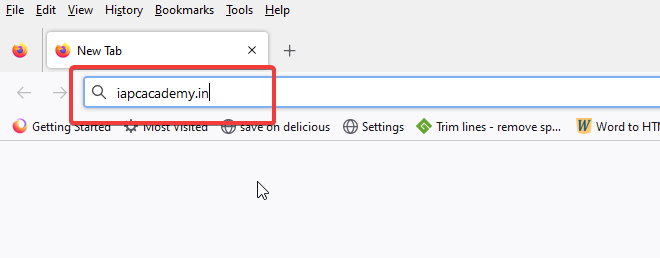
Open your browser and type ‘iapcacademy.in‘ in the URL box of the browser window as show below. Press [Enter] on the keypad and wait for the browser window to refresh.
The ‘Home‘ page of IAPC Academy will load. Click on the red ‘Log in’ button at the top right corner of the browser window to gain access to our course.

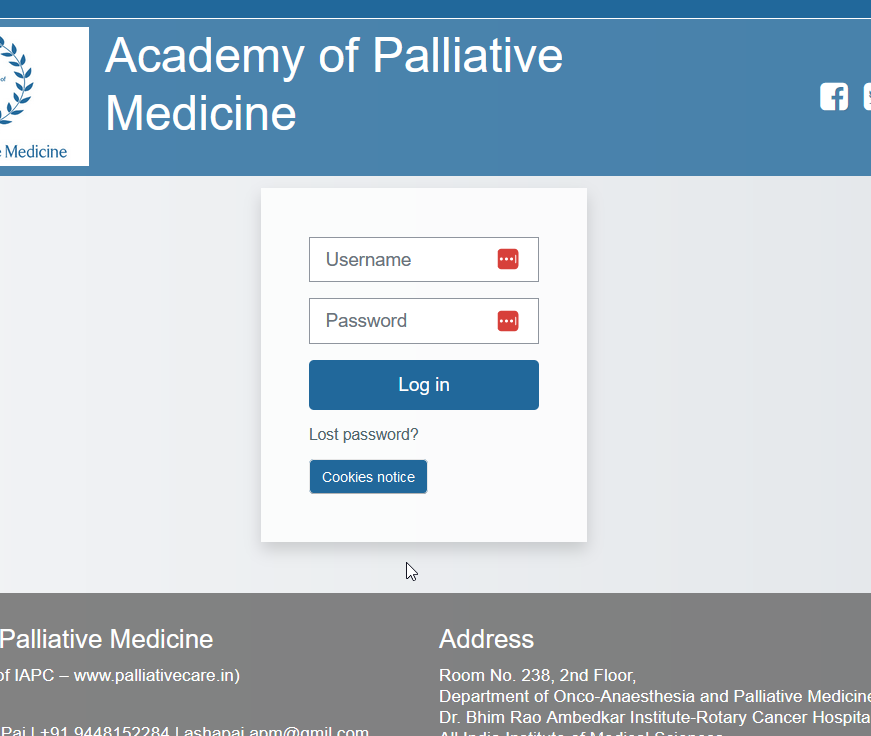
The ‘Log-in‘ page will be visible once the browser window refreshes. Insert your Username and Password and click on the blue ‘Log in’ button.
Once you log in successfully, you will be taken to the following page of our course.

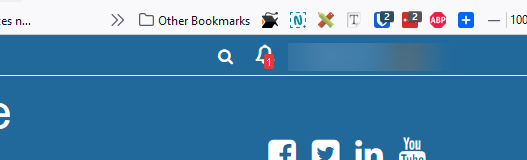
Before you navigate anywhere, please pay attention to the ‘Bell’ icon at the top right corner of the browser window. This is where you will be able to see the notifications from us.
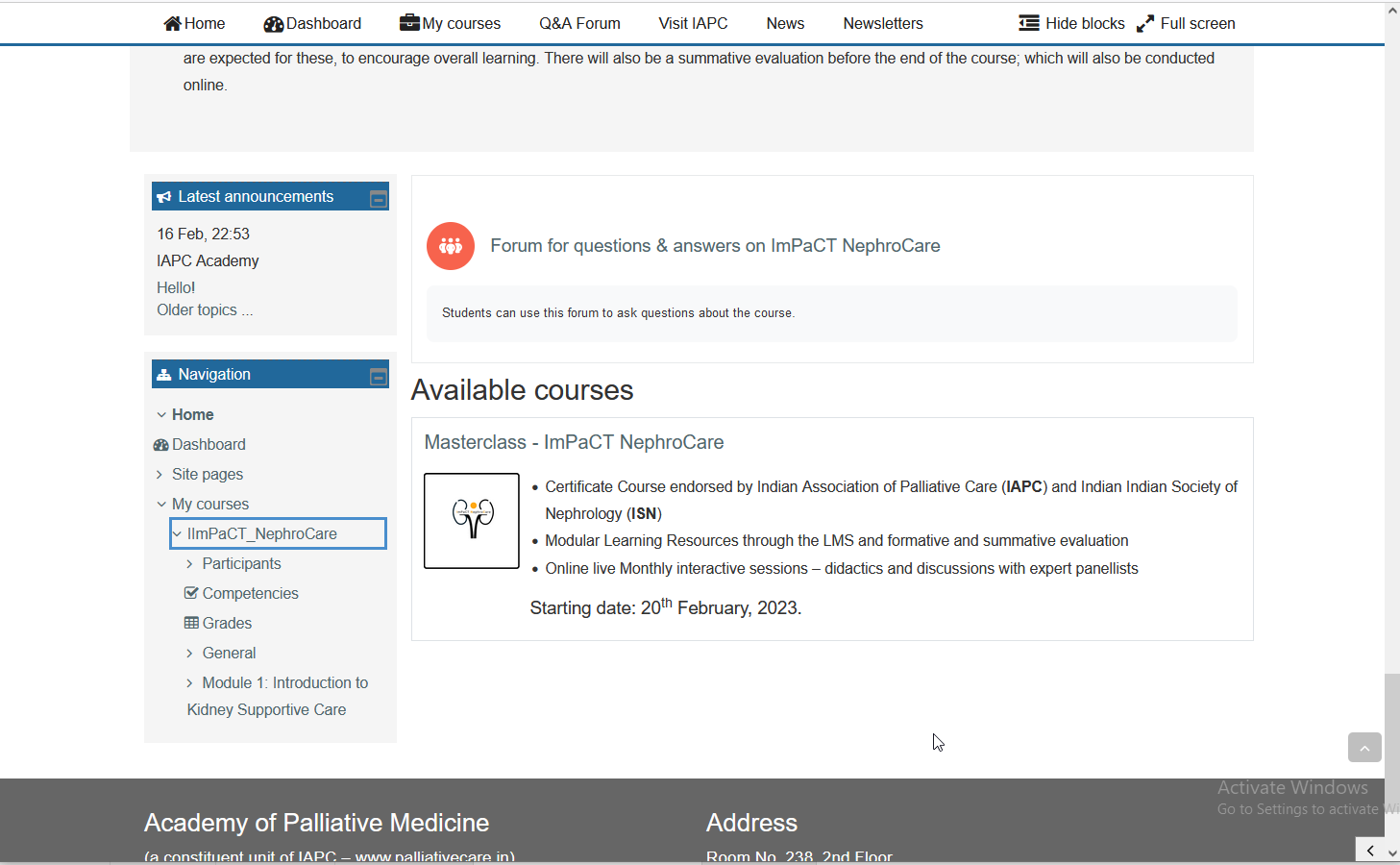
If you scroll down the page, you will be able to see the sections of the page as shown below. This section has two vital areas:
- Forum for questions & answers on ImPaCT NephroCare
- Available Courses
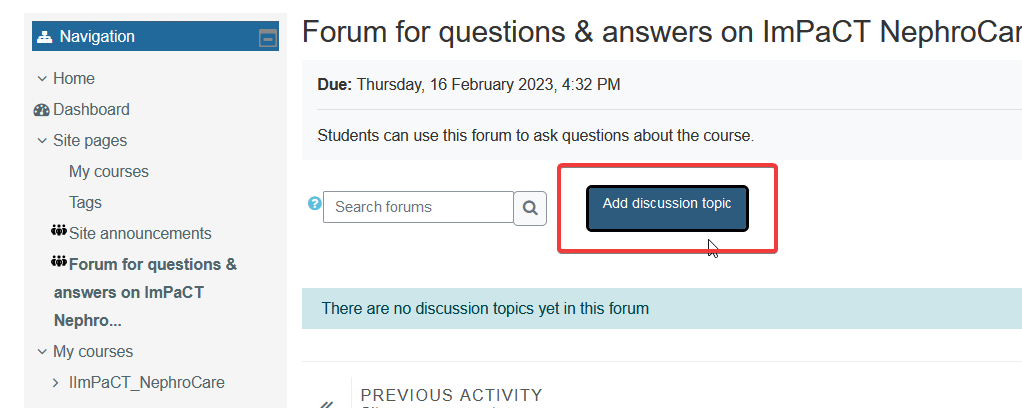
If you click on the ‘Forum for questions & answers on ImPaCT NephroCare‘ link of the first vital area, you will be taken to the forum where you can post or submit any question that you may have.

Once you land up on the forum, click on the blue ‘Add discussion topic’ button to add your question.
We navigate back to the previous page to show you the second vital area which is marked in the image below.
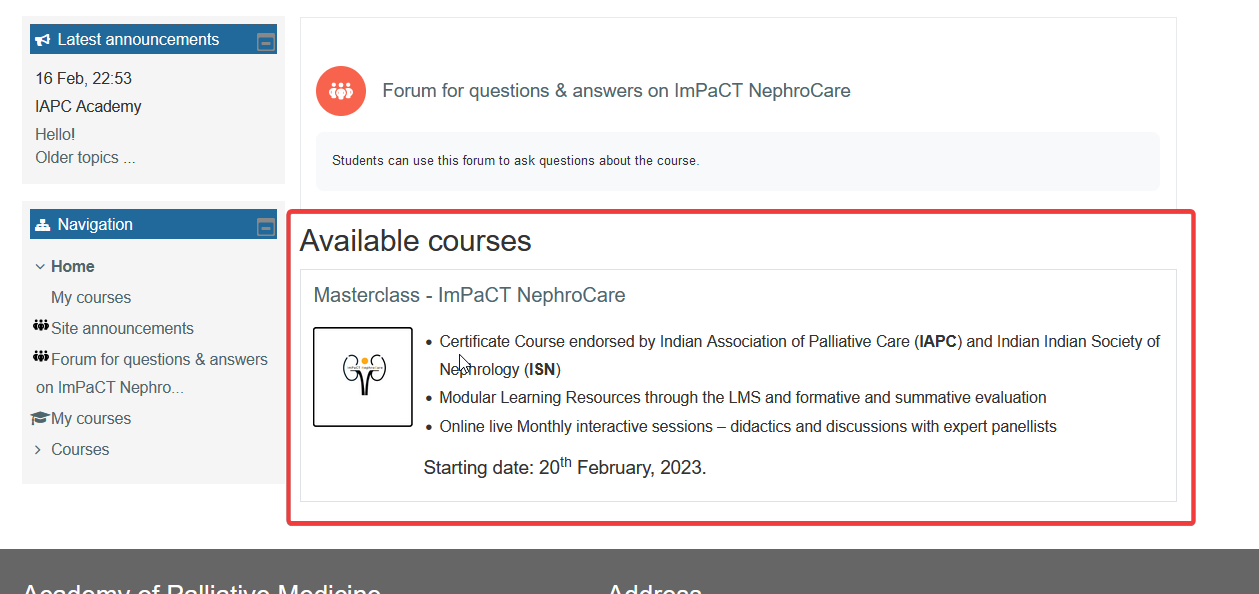
If you click on the ‘Masterclass — ImPaCT NephroCare‘ link, you will land up on the ‘Course‘ page as shown in the image below.
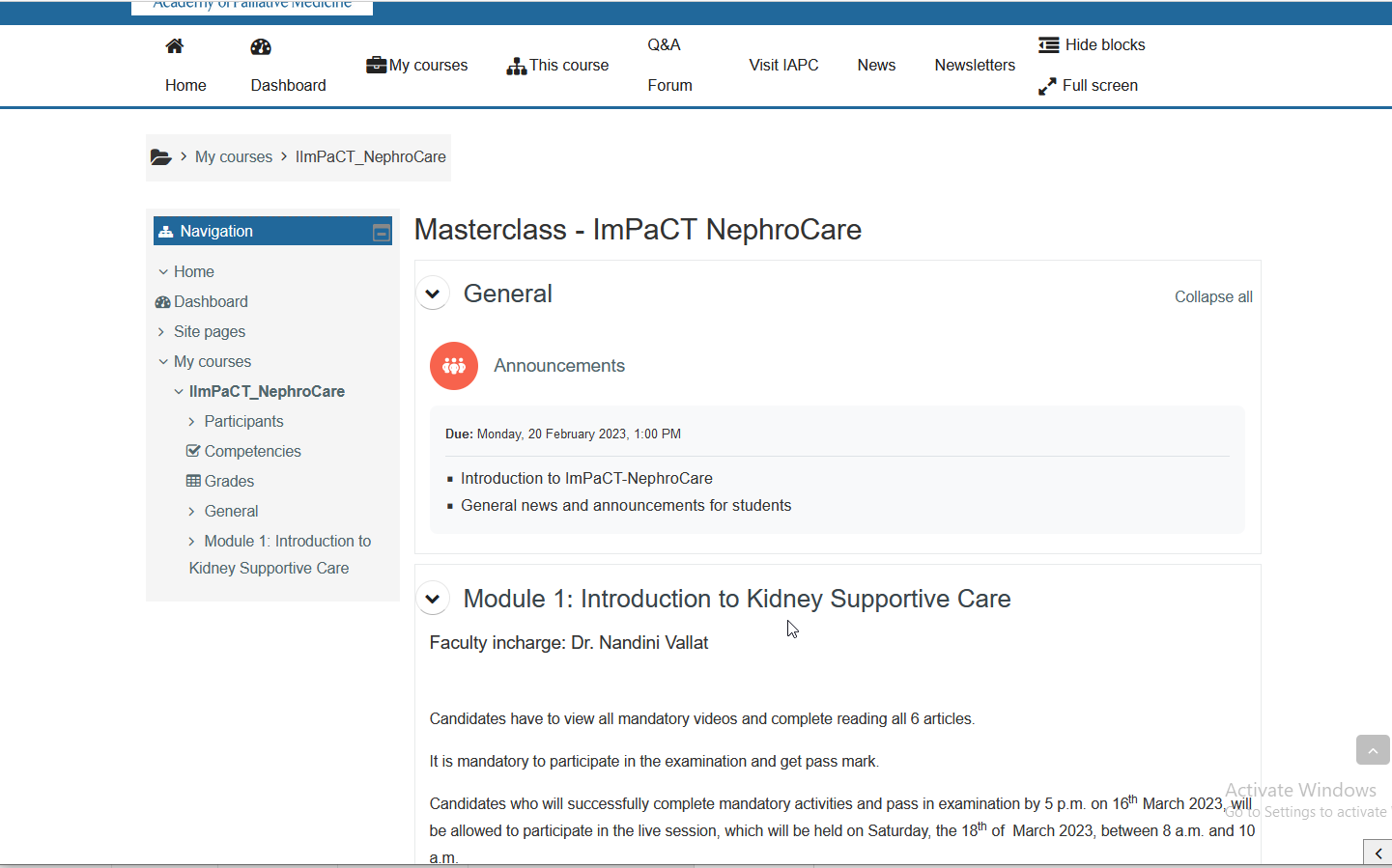
On the upper part of the ‘Course‘ page is the ‘Announcements’ section. If you click on that, you will be taken to the ‘Announcements‘ page where all our announcements are listed for you to see.

On the lower part of the ‘Course‘ page, you will find the following sections, which are marked in the image below:
- Learning Resources: Module 1 (study material of the module)
- Formative Evaluation of Module 1 (evaluation test of the module)
Please note that you are expected to go through the study materials first and then take the evaluation test.
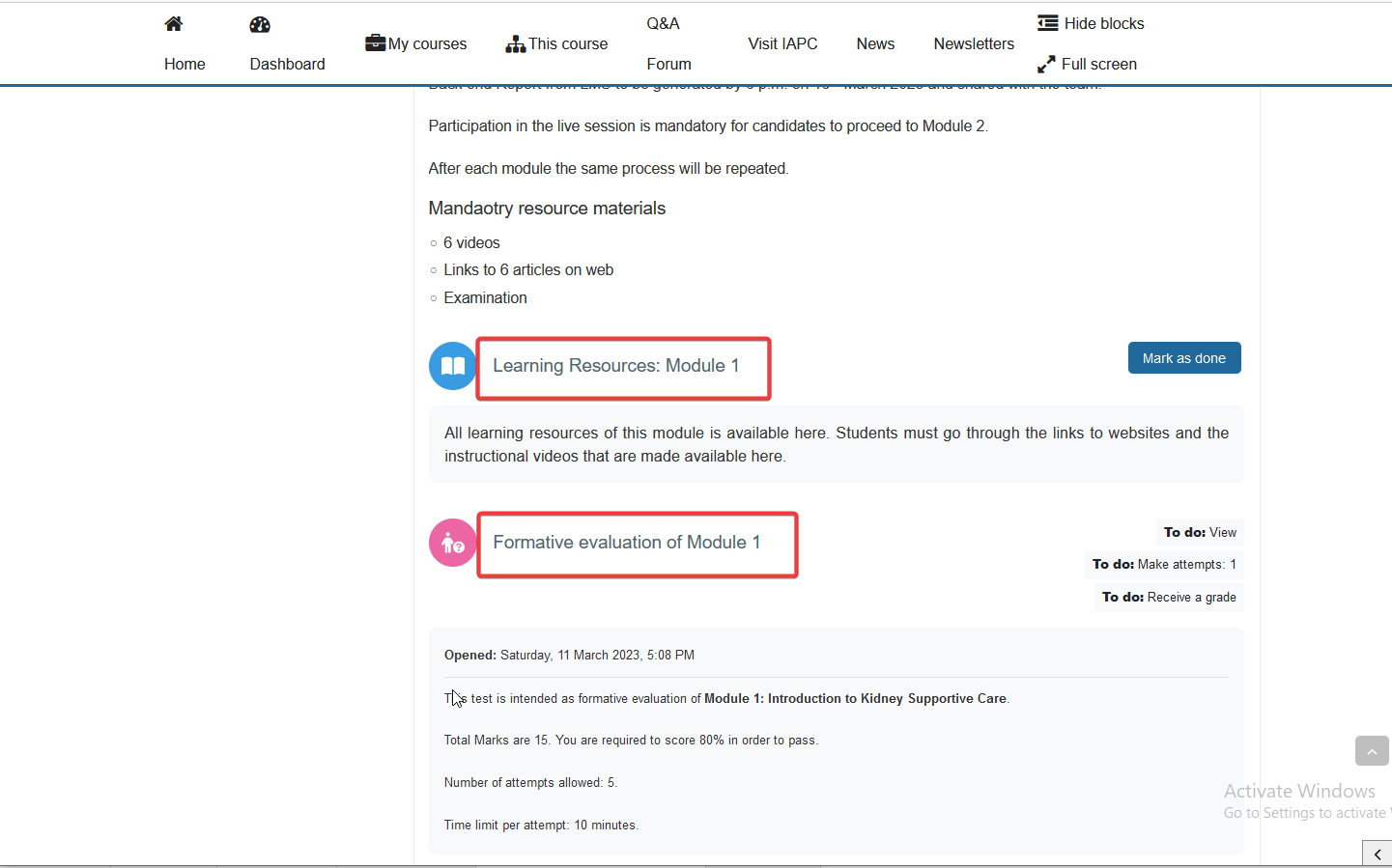
If you click on the ‘Learning Resources: Module 1‘ link, you will be taken to the study materials page. Here you will find the chapters of the study materials.
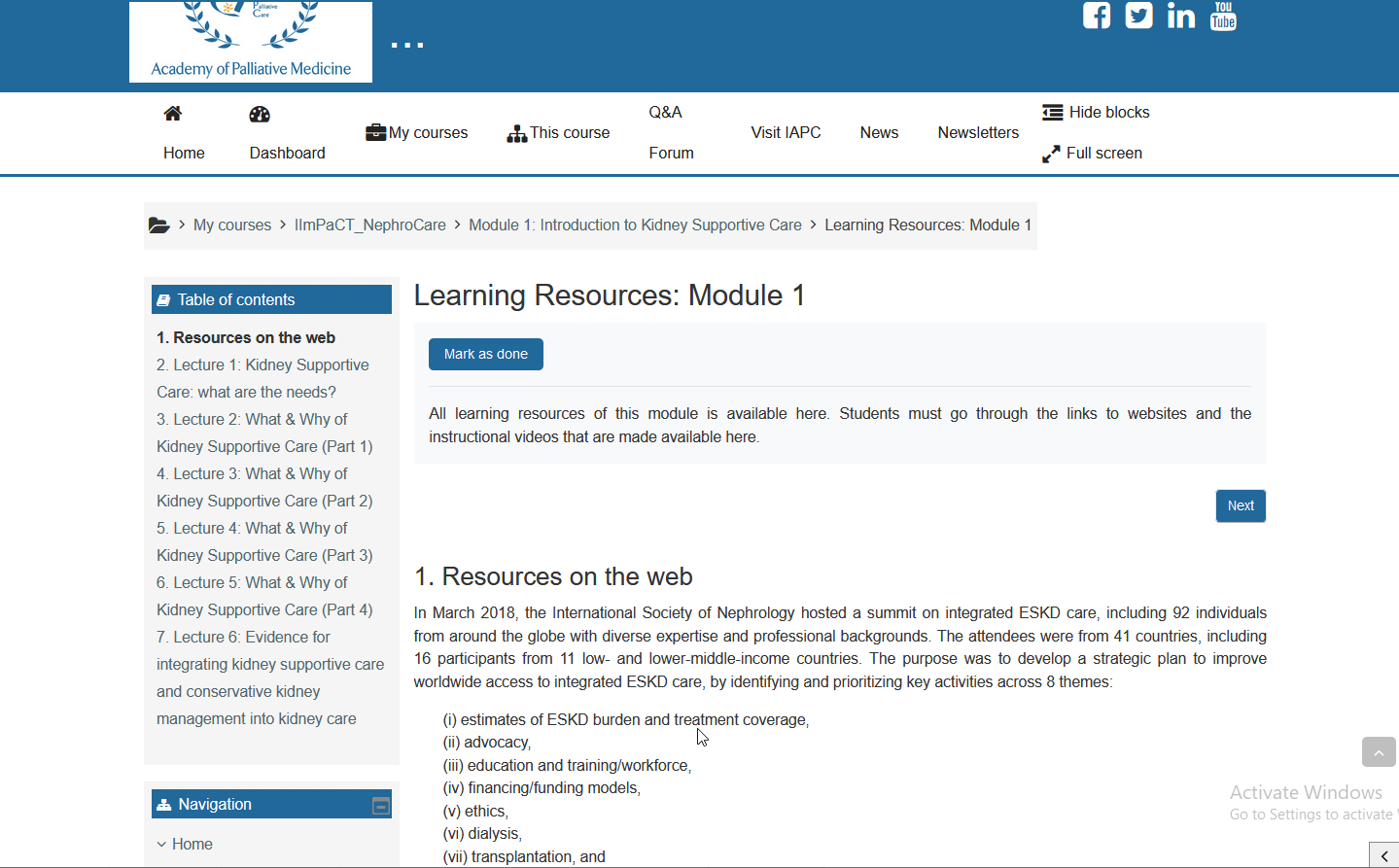
When you complete your study and are ready to take the evaluation test, come back to the ‘Course‘ page. Click on the ‘Formative evaluation of Module 1‘ link to visit the test page.
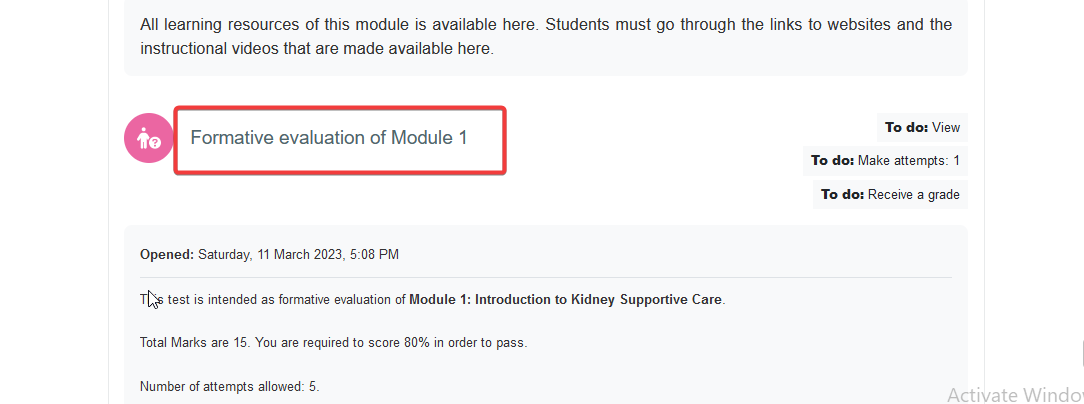
On the ‘Formative evaluation of Module 1‘ page you will be presented with a set of instructions about the multiple choice questions which you are expected to answer.
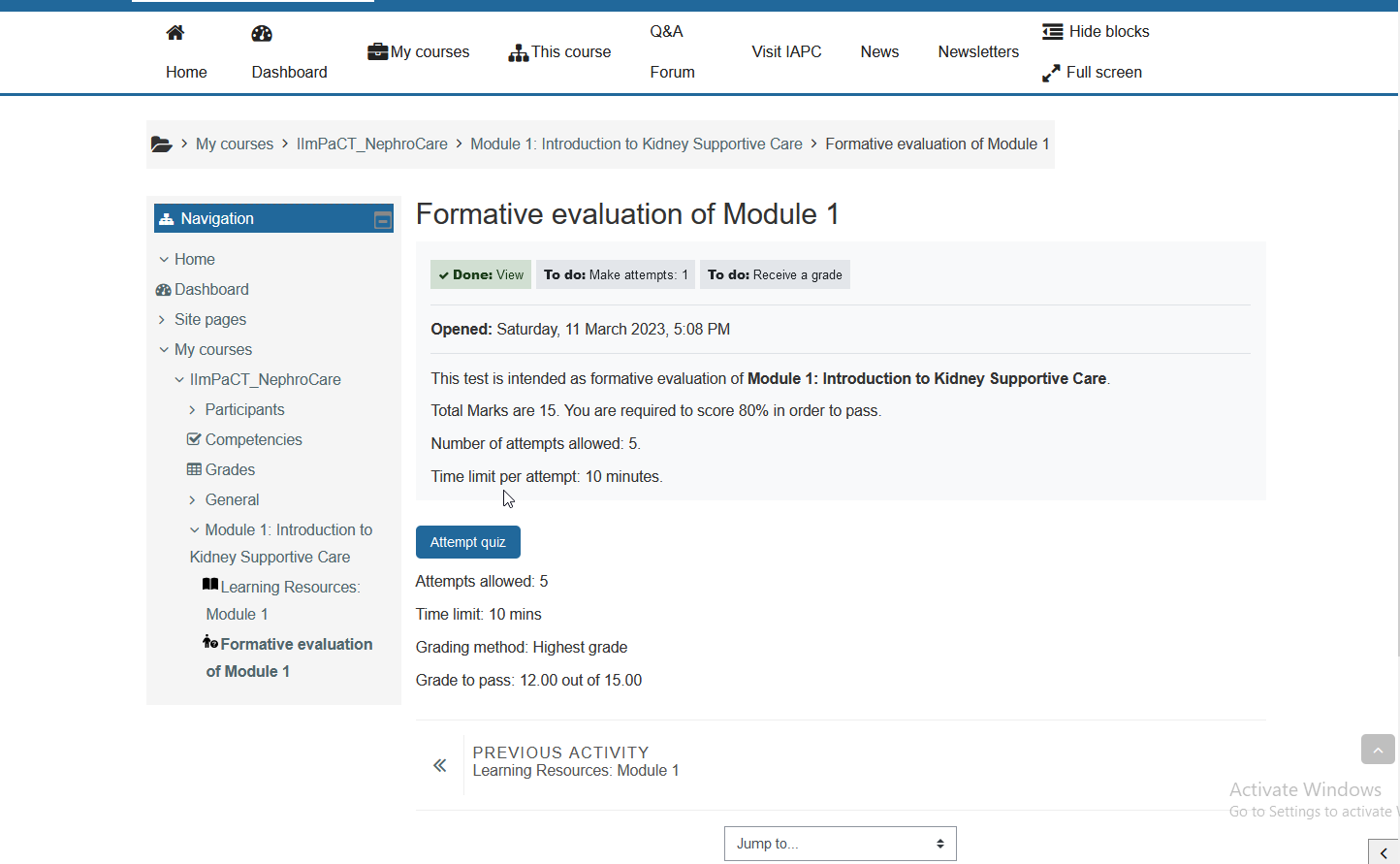
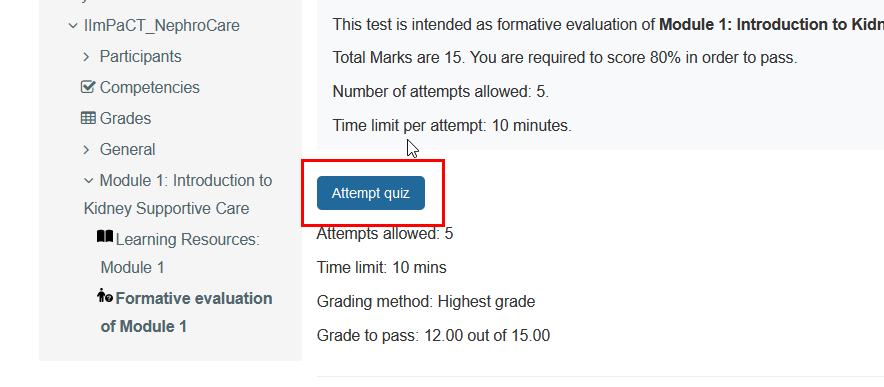
Read the instructions carefully and click on the blue ‘Attempt quiz’ button to take the test of multiple choice questions.
— END —